
GoHighLevel Automation: 5 Essential Workflows to Set Up
GoHighLevel automation is the difference between a business that follows up every time and one that follows up when someone remembers.
Most service businesses are already using GoHighLevel. The problem is they are using 20% of it. The CRM is set up. Leads come in. Someone logs them manually. And then the follow-up happens whenever someone has time, which is often two days later, which is often too late.
A client called us before they had GoHighLevel. They were spending $3,000 a month on Google Ads. Clicks were coming in. Enquiries were not. The audit showed the problem: the landing page was slow and there was no follow-up when someone did enquire. The ad was doing its job. Everything after the click was not.
GoHighLevel automation is what fills that gap. Not with more manual work. With workflows that run while you are busy doing the actual job.
TL;DR: GoHighLevel automation handles lead follow-up, appointment reminders, review requests, and pipeline movement automatically. The 5 workflows below are the ones that make the biggest difference fastest, and none of them require technical experience to build.
What Is GoHighLevel Automation?
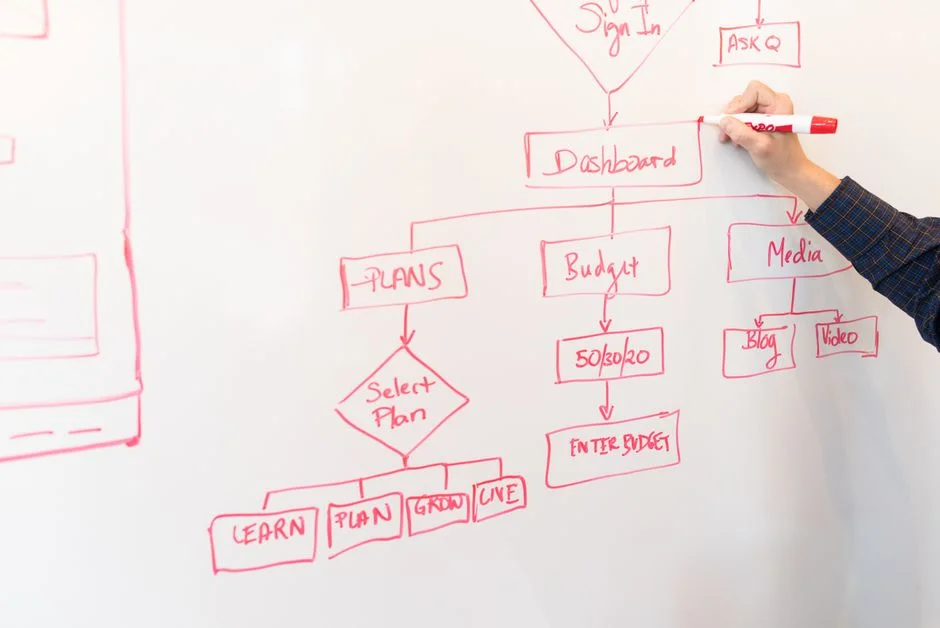
GoHighLevel automation refers to the workflow builder inside the platform. You set up a trigger (a form submission, a booking, a pipeline stage change) and a sequence of actions that follow automatically (send an SMS, wait 24 hours, send an email, assign a task to a team member).
The workflow runs without anyone touching it. A lead fills in your form at 11pm. They get a reply at 11pm. You find out in the morning.
This matters because speed of follow-up is the single biggest predictor of whether a lead converts. Studies consistently show that responding within five minutes of a new enquiry is significantly more effective than responding within an hour. Most businesses respond within two days.
The 5 GoHighLevel Automation Workflows to Set Up First
1. New Lead Instant Response
Trigger: New form submission or inbound lead. Sends an immediate SMS and email confirming receipt, tells the lead what to expect next, and books a follow-up task for your team. Most leads enquire with multiple providers. The first response wins a disproportionate share of the conversations.
2. No-Reply Follow-Up Sequence
Trigger: Lead has not replied after initial contact. Sends a second message 24 hours after the first, a third at 48 hours, and a fourth one week later. Each message takes a different angle. Most sales happen after the fifth contact. Most businesses stop after one.
3. Appointment Reminder Sequence
Trigger: Appointment booked. Sends a confirmation immediately, a reminder 24 hours before, and another one hour before the appointment. A reminder sequence typically reduces no-shows by 30 to 50%. For a business that books consultations, this alone pays for the platform.
4. Post-Job Review Request
Trigger: Job marked as complete or invoice paid. Waits 24 hours, sends a personalised thank-you message, and includes a direct link to your Google review page. Most happy clients would leave a review if asked at the right moment. Most businesses never ask.
5. Lead Reactivation Campaign
Trigger: Lead has been in pipeline longer than 30 days with no movement. Sends a re-engagement message referencing their original enquiry, asks a simple question, and moves them to a re-engaged stage if they reply. Old leads are not dead leads. They often come back when the timing is right.
How Do You Set Up GoHighLevel Automation Without Technical Experience?
GoHighLevel’s workflow builder is visual. You add triggers and actions by clicking and selecting from menus. No code required. The setup order that works:
- Map out what you want to happen, a simple flowchart on paper works
- Build the trigger first and test it with a fake submission
- Add actions one at a time and test each one before adding the next
- Use the platform’s built-in preview to check SMS and email copy before going live
- Run it live for two weeks and review the stats before making changes
The most common mistake is building a complex multi-branch workflow before the basic sequence is working. Start with the five above. Once they are running and converting, build on them.
FAQ
How long does it take to set up GoHighLevel automation?
The five workflows above take two to four hours to build if you know the platform. If you are new to GoHighLevel, budget a full day and use the built-in templates as a starting point before customising.
Can GoHighLevel automation work for a one-person business?
Yes. That is where it adds the most value. A solo operator who cannot be on the phone all day benefits enormously from automated instant responses and follow-up sequences. The platform does the work of a part-time admin without the cost.
What is the difference between a workflow and a campaign in GoHighLevel?
A workflow is triggered by a specific event and runs automatically for each contact that meets the trigger condition. A campaign is a broadcast sent to a defined list at a scheduled time. Workflows are the core of gohighlevel automation. Campaigns are for announcements or promotions.
GoHighLevel automation does not replace the relationship. It makes sure the relationship starts before you have a chance to drop the ball. The five workflows above cover the most common gaps where service businesses lose leads that should have converted.
Want these set up correctly the first time?
We have done this for clinics, consultants, agencies, and trades businesses. Setup is measured in days, not weeks.